Automatically Exporting Images from the ChemiDoc Pro Imaging System to BR.io
When you enable Auto Send to BR.io on the ChemiDoc Pro Imaging System, BR.io automatically exports all images you acquire to your account.
To automatically export images to BR.io
|
1.
|
Confirm that you have a BR.io account. |
|
2.
|
On the main toolbar, tap your user name in the upper-right corner to open the BR.io Account dialog. |
|
3.
|
Select Auto Send to BR.io. |
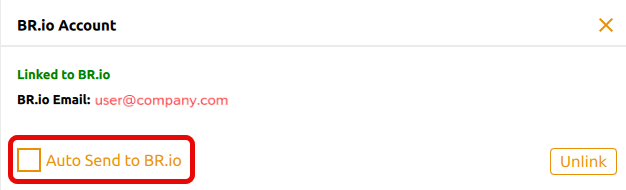
|
4.
|
Close the BR.io Account dialog. |
Note: To cancel automatic image export to BR.io, clear the checkbox in the BR.io Account dialog.